Industrial Hardware.
One REST Call.
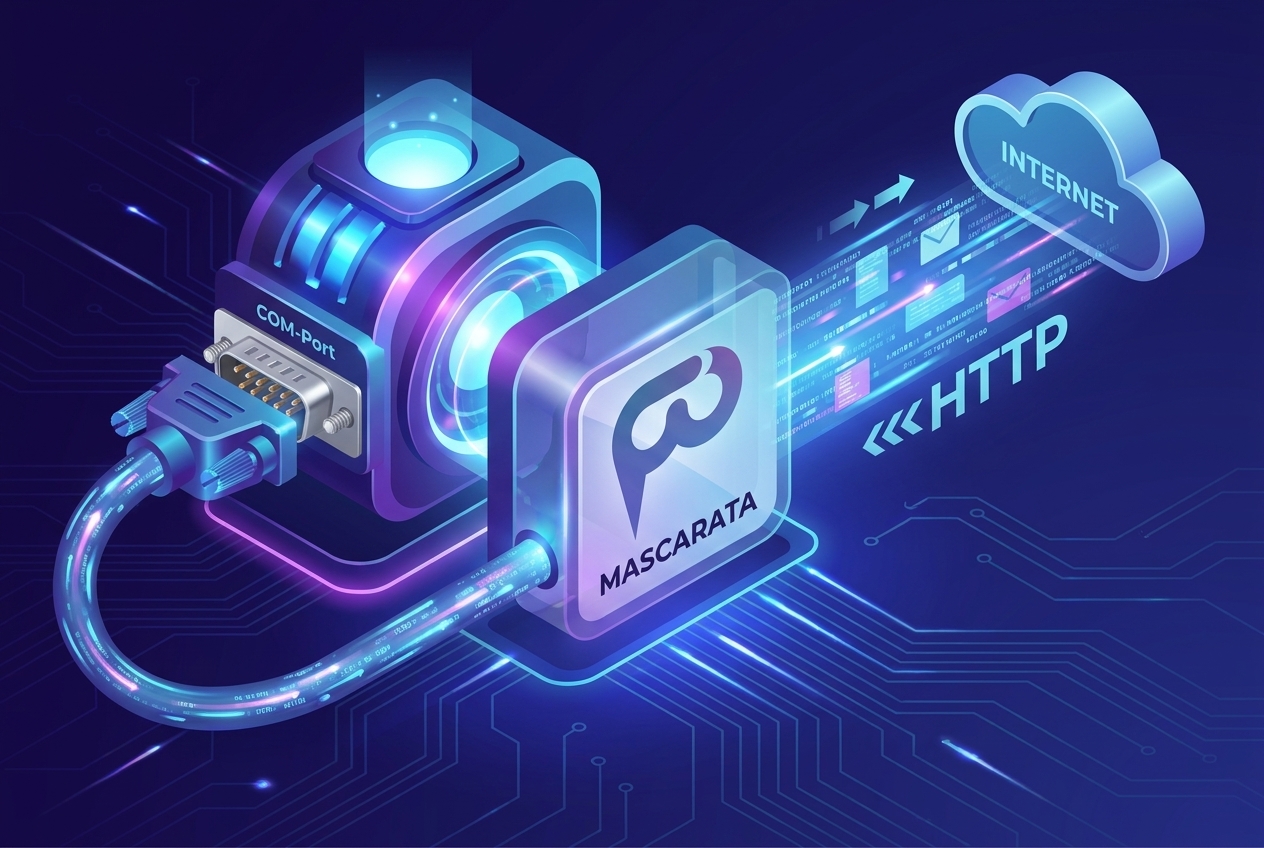
Mascarata is a professional edge gateway that turns your serial/COM instruments into a clean JSON REST API — instantly. Connect scales, sensors, PLCs and more. Your data stays local.
Free for 2 devices. PRO license for unlimited connections starts at $89/year.
Want to try PRO on your own installation? Request a free 10-day demo token
Why Mascarata?
Industrial hardware integration is painful. Mascarata removes all the friction.
😤 Without Mascarata
- Writing custom serial parsers for every device and protocol
- Managing COM port timing, parity, baud rate, stop bits manually
- Decoding raw Modbus registers and byte offsets in application code
- No standard interface — every integration is a bespoke project
- Cloud gateways send your production data to third-party servers
- Expensive industrial middleware ($1,500+/yr) locked to Windows
✅ With Mascarata
- One JSON driver file describes your device — no serial code needed
- Auto-generated REST endpoint per parameter, ready in minutes
- Parsed values (weight, temperature, pressure) — not raw registers
- Universal REST/JSON interface works with any language or framework
- All data stays on your local network — zero cloud dependency
- FREE tier for 2 devices, PRO at $89/yr for unlimited production use
How Mascarata Works
A lightweight edge process sits between your hardware and your web applications. Serial in — JSON out.
RS-232 / RS-485 / COM

Single binary or .exe
Any language or framework
Write a JSON driver
Describe your device parameters (registers, offsets, scaling) in a simple JSON file. No coding required — 23+ ready-made drivers included.
Add to topology
Assign a device ID, select the driver, pick the COM port. Mascarata auto-generates a REST URL for every parameter in seconds.
GET your data
Call the generated URL from any language or tool. Get clean, parsed JSON values — not raw bytes or register maps.
Automate & integrate
Set up Webhooks, Alerts, API Mirrors, or keep-alive polling. Push readings to your SCADA, ERP, or cloud dashboard automatically.
See Mascarata in action at demo.mascarata.esfom.com
Live DemoSupported Protocols
Mascarata speaks the languages your hardware speaks — from legacy serial to modern fieldbus.
Modbus RTU
Industry-standard binary protocol over RS-232/RS-485. Supports coils, holding/input registers with configurable byte/word swap.
Serial ASCII
Text-based request/response protocols. Custom command templates with regex field extraction. Common for lab instruments and scales.
Binary Frames
Raw binary protocols with configurable frame structure, CRC validation, byte offsets, and big-endian / little-endian word order.
RS-232 / RS-485
Physical layer support for both point-to-point (RS-232) and multi-drop bus (RS-485) topologies. Works with USB-to-serial adapters.
API Mirrors (HTTP)
Aggregate external REST data sources alongside hardware readings into a single unified endpoint with caching and connection pooling.
Modbus TCP
Ethernet-based Modbus over TCP/IP. Standard MBAP framing support for PLCs and industrial controllers with per-device Unit ID routing.
Usage Examples
Once a device is added to the topology, its parameters are instantly available via HTTP — no authentication required on the local network.
# Read a single parameter from a scale device
curl http://localhost:8000/scales-1/read/weight

# Response
{
  "id":           "scales-1",
  "parameter":    "weight",
  "value":        12.34,
  "status":       "OK",
  "timestamp":    "2026-04-14T09:23:01.412631",
  "unit":         "kg",
  "raw_response": "  +12.340kg\r\n",
  "source":       "hardware",
  "message":      null,
  "values":       null
}

# Send a command (tare / zero)
curl -X POST http://localhost:8000/scales-1/command/tareQuickstart
One file. No installation. No Python. No dependencies. Download, double-click, done.
# 1. Download mascarata.exe — no Python, no pip, nothing else needed

# 2. Run with real hardware (COM port auto-detected)
mascarata.exe

# 3. Open the web dashboard in your browser
http://localhost:8000

# 4. Read a device parameter via REST
curl http://localhost:8000/scales-1/read/weightKey Capabilities
Everything you need to bridge industrial hardware to modern web infrastructure.
Multi-Protocol Support
Modbus RTU/TCP, serial ASCII, binary, and big-endian protocols on Windows, Linux, and macOS.
URL-per-Parameter API
Every hardware register or ASCII field gets its own REST endpoint — auto-generated from the driver file. No coding required.
23+ Driver Library
Ready-to-use JSON drivers for scales, thermometers, barometers, hygrometers, and industrial controllers. Community-extensible.
Webhooks & Alerts
Push readings to any HTTP endpoint with exponential retry. Define threshold alert rules with hysteresis and cooldown. PRO feature.
API Mirrors
Aggregate external HTTP data sources alongside hardware readings into a single unified interface with pooling and cache.
Secure & Private
Your data never leaves your network. No cloud sync, no telemetry. All readings stored in a local SQLite database.
Single Process
No Docker, no Java, no external services. One Python process or .exe — runs anywhere with minimal external dependencies.
Built-in Web Dashboard
Live topology view, device monitor, history charts, serial terminal, driver configurator — all browser-based, no extra tools.
Keep-Alive & Reconnect
Persistent port pooling with automatic reconnect backoff. Reduces per-read latency by 20–200ms on RS-485 bus polling. PRO feature.
History & Monitor
30-day reading history with charts, device activity monitor, and structured logs — all accessible from the dashboard.
Driver Configurator
Browser-based JSON driver editor with field validation, register calculator, and live preview. Write drivers without leaving the UI.
Real-World Use Cases
From lab bench to production floor — see how teams use Mascarata every day.
I want my website to show live temperature from a lab sensor. I have a COM-port thermometer — but my web app has no idea serial ports exist.
Mascarata runs on the same machine as the device, reads it continuously, and exposes GET /sensor/read/temperature → {"value": "23.5", "unit": "°C"}. Your frontend fetches it like any other REST endpoint. No serial library, no driver code in your app.
I need to tare a scale from a browser button. The scale speaks Modbus. My browser speaks HTTP.
Mascarata maps GET /scale/command/tare to the correct Modbus register write. No serial library, no protocol knowledge in your frontend — just a button that calls an HTTP endpoint.
I have 10 devices on different COM ports from three different vendors. I want one unified API — same response shape regardless of which device I'm reading.
Drop a JSON driver file for each device type, map them in topology.json, and Mascarata gives you a single REST interface for all. Same response format, same integration code — regardless of the underlying protocol.
My device is across the building but my application server is in the rack. I can't run a serial cable 50 meters down a hallway.
Install Mascarata on the machine physically connected to the device. Your server polls its HTTP endpoint over LAN. No VPN tunnels, no serial-over-network adapters — just plain HTTP across your existing local network.
I'm a web developer. I've never touched Modbus in my life, and the device manual is 200 pages of register tables.
You don't need to read it. Mascarata hides registers, baud rates, and byte offsets behind a REST call that returns plain JSON. Write frontend code — not hardware drivers.
I want to expose an external weather API or cloud data source alongside my hardware readings — same unified interface, same response format.
Mascarata's API Mirror feature polls any external HTTP source on a schedule and exposes it under the same unified interface. Mix cloud data and local hardware readings in one topology, one API.
I want my server to receive data the moment a reading updates — not waste bandwidth polling on a timer every few seconds.
Set up a webhook pointing to your endpoint. On every interval, Mascarata pushes the reading as JSON with your Bearer token attached. If your server is temporarily down, Store & Forward queues payloads and replays them automatically for up to 24 hours.
I need to know immediately when a sensor goes out of range — even at 2 AM. I can't have someone watching a dashboard all night.
Configure a threshold condition (e.g. temperature > 80°C). Mascarata checks it every few seconds, fires a notification to your email or Telegram, then silences itself for a cooldown period so you're not flooded. No external monitoring service required.
My team needs a live view of all devices — current values, status badges, last-seen time. I don't want to build a monitoring UI from scratch.
The built-in dashboard displays every device as a live card with current value, 24-hour min/max/average, status badge, and last-update timestamp. Choose whether it polls in the background or only while the page is open. Nothing to build or host.
I need to prove to a client that our sensor stayed within spec for the last 30 days. I need exportable data with charts, not just today's reading.
The History page lets you query any device parameter by date range and renders it as an interactive chart with min/max/average statistics. Export to CSV in one click for compliance reports or client audits.
Something is wrong with a device response but I don't know what raw bytes it's actually sending. I need to talk to it directly without writing a test script.
Open the Terminal. It speaks raw serial over WebSocket — send text or hex commands, watch the response in real time, and inspect live serial pin states (CTS, DSR, RTS). Switch to Modbus or Binary preset commands to test protocol frames without writing a line of code.
My CNC machine sends status codes over RS-232 but my MES system only speaks HTTP. And it must run 24/7 — if the serial port drops, it needs to reconnect automatically.
Mascarata's keep-alive mode maintains a persistent serial connection with automatic reconnect backoff. Map the machine's status to a REST endpoint. If the device goes silent, an alert fires to your operator before the production line even notices.
Device Driver Library
Ready-made JSON drivers for industrial devices — available to PRO+ subscribers. Browse the catalog and install drivers directly from the app.
Full driver JSON and one-click install require a PRO+ license.
Licensing Tiers
Flexible options for individual developers, professional labs, and enterprise deployments.
FREE
For testing, prototyping, and small labs.
- 2 device connection points
- REST read & command API
- API Mirrors (unlimited)
- Keep-Alive connection pooling
- History & monitor (30-day)
- WebSocket serial terminal
- Driver configurator
PRO
For professional workflows and production environments.
- Unlimited device connections
- Everything in FREE
- Live dashboard & device monitor
- Driver library (install & upgrade)
- Webhooks with exponential retry
- Store & Forward (offline buffer)
- Alert rules (threshold + hysteresis)
- Commercial support via email
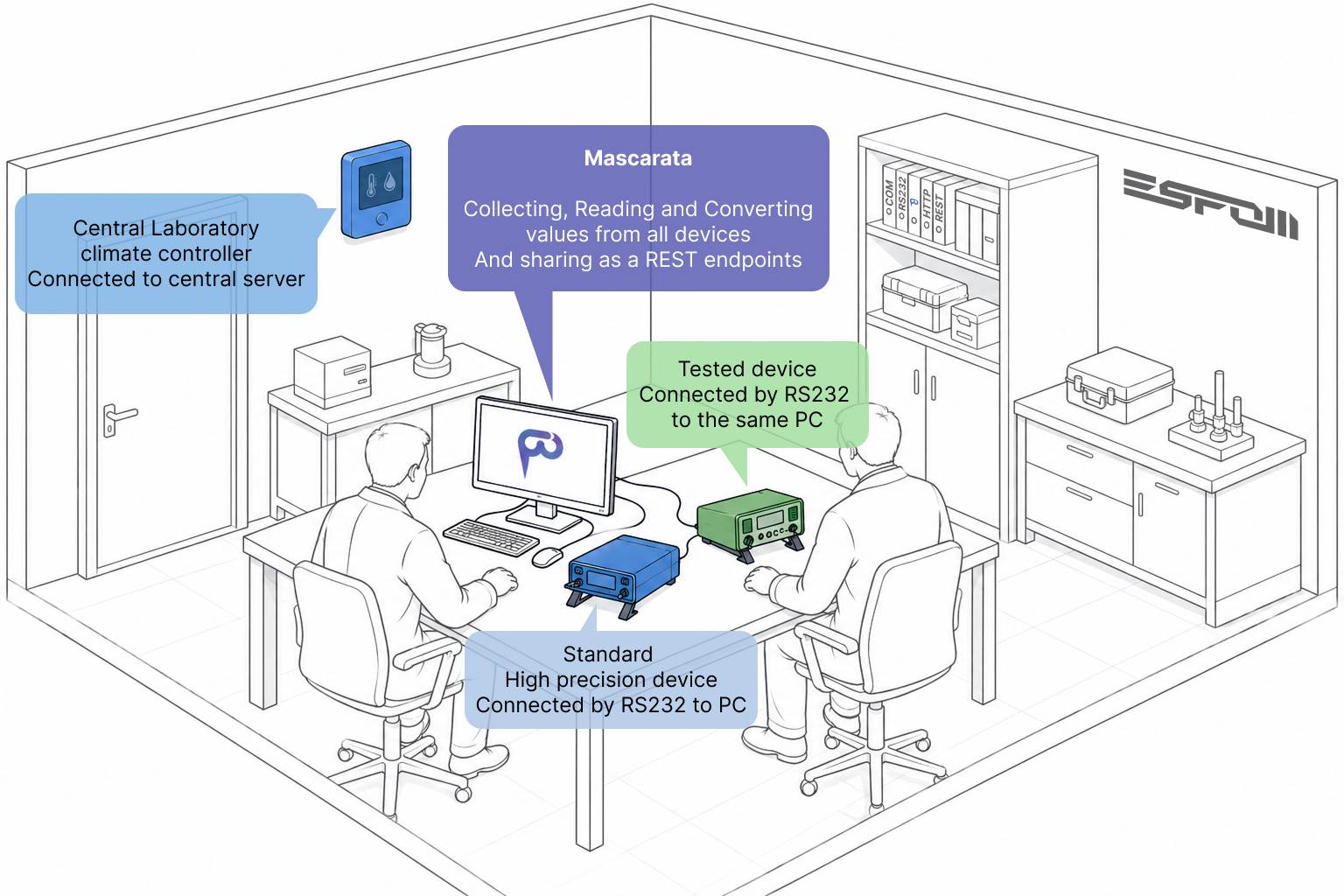
- Comparator — multi-device calibration sessions
ENTERPRISE
For industrial-scale and multi-site deployments.
- Everything in PRO
- Custom driver development
- White-labeling options
- Fleet API & management
- Priority on-site/remote support
- Site-wide license keys
Frequently Asked Questions
Everything you need to know before you download.
Does Mascarata require internet access?
No. Mascarata runs entirely on your local machine or network. No telemetry, no cloud sync, no external dependencies at runtime. The REST API is served locally — your hardware data never leaves your premises. An internet connection is only needed once to activate a PRO license, and to browse and download device drivers from the online driver library (PRO+ feature).
Does it work with USB-to-serial adapters?
Yes. Mascarata works with any COM port visible to the OS — including USB-to-serial adapters (CH340, FTDI, CP2102, etc.). On Windows they appear as COM3, COM4, etc. On Linux as /dev/ttyUSB0. On macOS as /dev/tty.usbserial-*. No special driver configuration needed.
My device isn't in the driver library. Can I still use it?
Yes. Drivers are plain JSON files that describe your device's protocol, commands, and field mappings. You can write a driver for any serial device in minutes using the built-in Driver Configurator — no coding required. The community driver library is also open for contributions.
What happens if I don't renew my PRO license?
Your Mascarata installation continues working. You won't lose access to data or existing configuration. PRO features (Webhooks, Alerts, Keep-Alive, Store & Forward) will stop functioning until the license is renewed, and you'll be limited to 2 device connections (FREE tier limits). Everything else remains operational.
Is the REST API accessible from other machines on the network?
By default Mascarata binds to 0.0.0.0, so it is reachable from any machine on your local network. You can restrict it to 127.0.0.1 (localhost only) via config. There is no built-in authentication on the local API — it is designed for trusted internal networks. Do not expose the port directly to the public internet.
How do I receive my PRO license key after payment?
Your license token is emailed to the address you enter at checkout within minutes of a successful payment. Paste it into Mascarata → Settings → License. If you provided your Application ID at checkout, the license is pre-bound to that installation. Lost your key? Email mascarata@esfom.com with your order details.
Is there a refund policy?
Yes. If Mascarata fails to connect to your device within 30 days of purchase and our support team cannot resolve it, you are entitled to a full refund. Email mascarata@esfom.com with your order ID and a description of the issue.
Download Mascarata
Latest release: v1.1.31. One file per platform.
Windows
Single mascarata.exe — everything bundled. Runs as a desktop app or Windows Service. No installer needed.
—
Linux
Single binary for Linux x64. chmod +x and run — includes built-in systemd service installer.
Download .tar.gzmacOS
Single binary for macOS (Apple Silicon & Intel). Works over USB-to-serial adapters on /dev/tty.usbserial-*.
Download .tar.gzVersion v1.1.31 · Released April 2026